
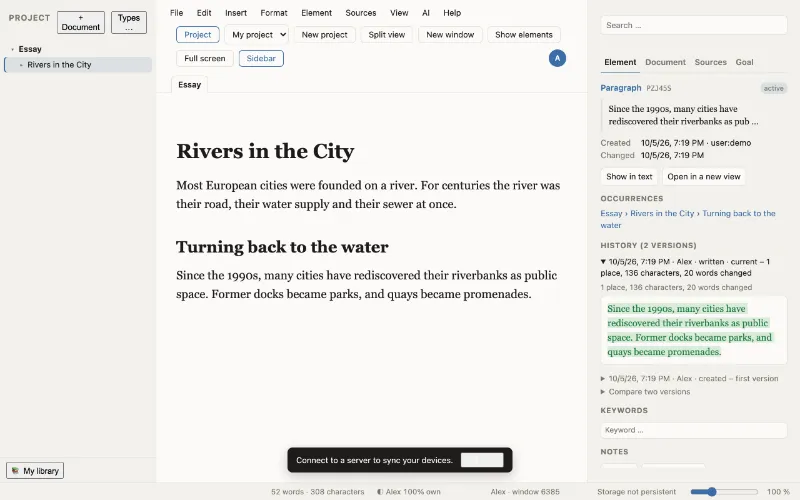
Write as usual. Every paragraph keeps its history.
WriteFlow is a local-first, end-to-end encrypted writing app for theses, papers and books. You type as in any word processor – underneath, your text becomes versioned elements that you can reuse, compare and trace back.
Start in the browser Download for Mac
WriteFlow is in early development. What this site describes as available works and is covered by automated tests; what is still coming is marked as such.
What makes WriteFlow different
Versioned elements
Every paragraph, heading, quotation and note is an element with a permanent ID and its own versions. Nothing is ever deleted: every earlier state of a paragraph stays within reach.
Aliases
The same element can stand in several documents. Change it once and it changes everywhere – unless you have frozen a document, for instance as the version you handed in.
Types
Characters, places, scenes, terms, theses: elements can have a type with fields. Tables, cards, a timeline and a network show the very same elements as the manuscript.
Provenance
For every character, WriteFlow records whether it was typed, pasted, quoted or written by an AI. The result describes; it does not judge – there is no “authenticity score”.
AI with permissions and audit
You decide per project, document or chapter what an AI may do: nothing, read, comment, suggest, arrange or write. The engine enforces it, and every AI interaction lands in a tamper-evident audit trail.
Library and sources
Add sources by DOI or ISBN, search several catalogues at once, import from Zotero, BibTeX or RIS, read PDFs next to your text and turn a marked passage into a quotation with its page.
Goals
Word goals per project, document or chapter, with a deadline and writing days. Only your own words count – pasted text and AI text do not.
Local-first and encrypted
Your projects live on your device first. Whatever is synchronised is end-to-end encrypted: the server only ever sees ciphertext.
A look inside
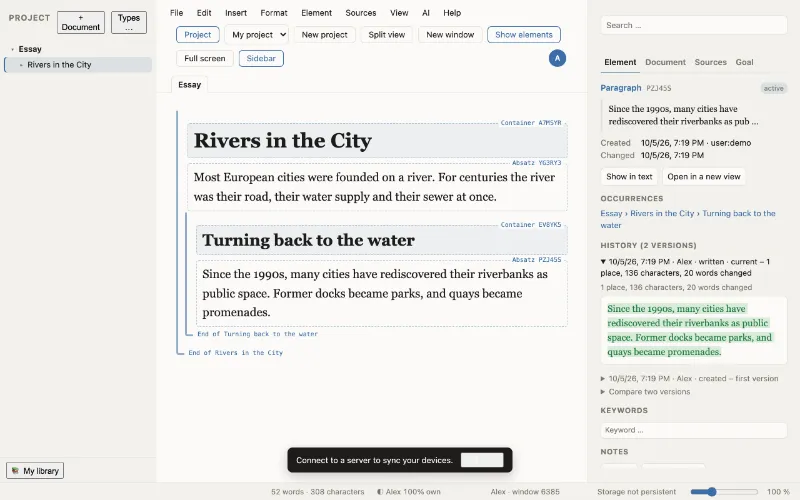
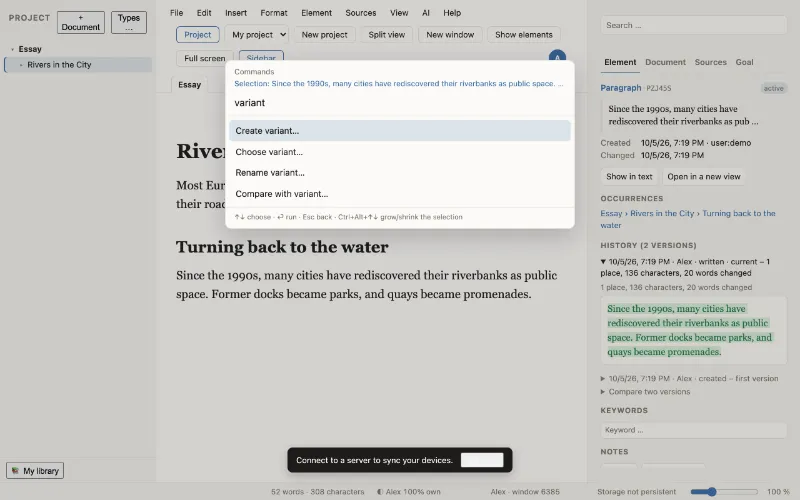
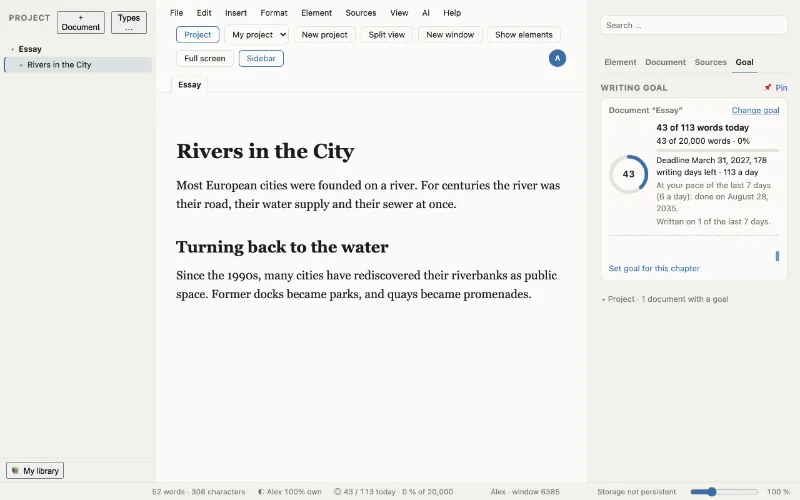
Screenshots of the current development version. Some parts of the interface are not yet translated.
Who WriteFlow is for
Academic writers
Students and researchers writing theses, papers and dissertations: sources, PDF quotations and citation styles in one tool, plus a provenance page and an AI log to hand in with your work.
Authors
Novelists and non-fiction writers: variants of a scene, a story bible with characters and places, a timeline and a network – and feedback from an AI without giving up your authorship.
Universities
Writing centres and faculties: process documentation instead of detector scores, a server you can run yourself, and a free choice of AI provider.
Security, honestly
The Mac app is the most secure way to use WriteFlow: its code is installed on your computer and only changes when you update it. The browser is the most convenient way: nothing to install, but each time you trust the code the server delivers. Either way your projects are encrypted end to end.
Try WriteFlow
Open WriteFlow in your browser. Your first project is created right there, on your device.